THINGS YOU SHOULD KNOW
Run Forest Run
The Run Forest Run Adventure
First, the Run Forest Run is an adventure. It is not a race. It’s all about the journey. Yes, we do give awards to the first finishers but that’s just what you do!! During that journey, you will experience just about every emotion possible. You will go from the highest high, to the lowest low, and back to the high. Sometimes, all in a few hours. You will decide to quit two or three times. You will be sure the RFR is the “stupidest” thing you have ever done. Two hours later you will be charging ahead feeling great.
The run will test every aspect of your endurance, physical, mental, and emotional. You will swear the road ahead has no end, or that you must have taken a wrong turn, that next town could not possibly be this far. But the road ends, the town appears, and you continue. You may go into the run expecting to make 45 or 50 miles a day and realize you are struggling to reach 30 or 35 miles the first few days. But guess what happens. As you go on, day after day, you get stronger. You cover more miles and the miles get easier. You actually start enjoying, even excited about your daily progress.
You will see amazing sites and beautiful scenery. Many of which you would have totally missed driving. Things like a beautiful little creek flowing along a country road, or the view down the Intercoastal Waterway under Navarre Bridge. And then there are the sunsets and sunrises. You will be amazed at just how good a sit-down meal is in a small diner or restaurant in some little town you never heard of.
The Things You Need to Know
The single most important thing you must do is “Plan Ahead.”
Decide how you want to run the race. That is, will you run only during the day, both days and nights, mostly nights, or only at night. Running only in the day is easier since stores are open generally from 7AM to 8 or 9PM. That is also when it is the hottest.
How many miles do you hope to run each day. If you run during the day, heat will determine this one. Nights are cool. You will get more miles each day.
Understand, no matter how carefully you plan, your plans will likely totally fall apart!
You should run the race in your head, on the maps, weeks before you load the shuttle to the race start. Download the course KML file to Google Earh and the GPX file go Caltopo or other navigation apps. Zoom in on Google Earth and study each section, mile by mile. This is especially important if you plan to run at night. You will need to locate the stores that are open 24 hour.
Caltopo is a good navigation app you can use on your phone. It allows you can add markers where you think you will need them. This becomes especially important in sections where there are long gaps between towns. If you are running at night, this becomes critical!
Estimate your pace. Study the distance between towns. Figure how long it will take you to get from one store to the next, that will be open when you will be there. Carry enough food and water to cover that distance, plus extra. Especially extra water.
It is a good idea to carry extra calories that are “emergency backup.” (I once covered 25 overnight miles with nothing to eat but “Sour Patch Kids!”) I didn’t make that mistake again.
YOU WILL LEARN! If you are new to this type of race, it will take about 3 days to have made enough mistakes to complete your training and become a real pro.
Some Suggestions
Let’s start with some “Advanced Planning” examples. How to add your own markers to CalTopo.
On the map below, the purple line is the course. Mile markers are added, mile 008 to 015. The “G” within a circle at mile 11.6 indicates a Gas Station with Food. If it’s open 24 hours. Google Maps show a Dollar General across the street from the indicated gas station. The examples below show how to add a marker for the Dollar General.
By the way, the “Right” Panel can be used to change the map. I use “OpenStreetMap” which is the one used in the examples. You can select others. If you use CalTopo for course navigation in the Run Forest Run, do not use Imagery. Use only a street map option.
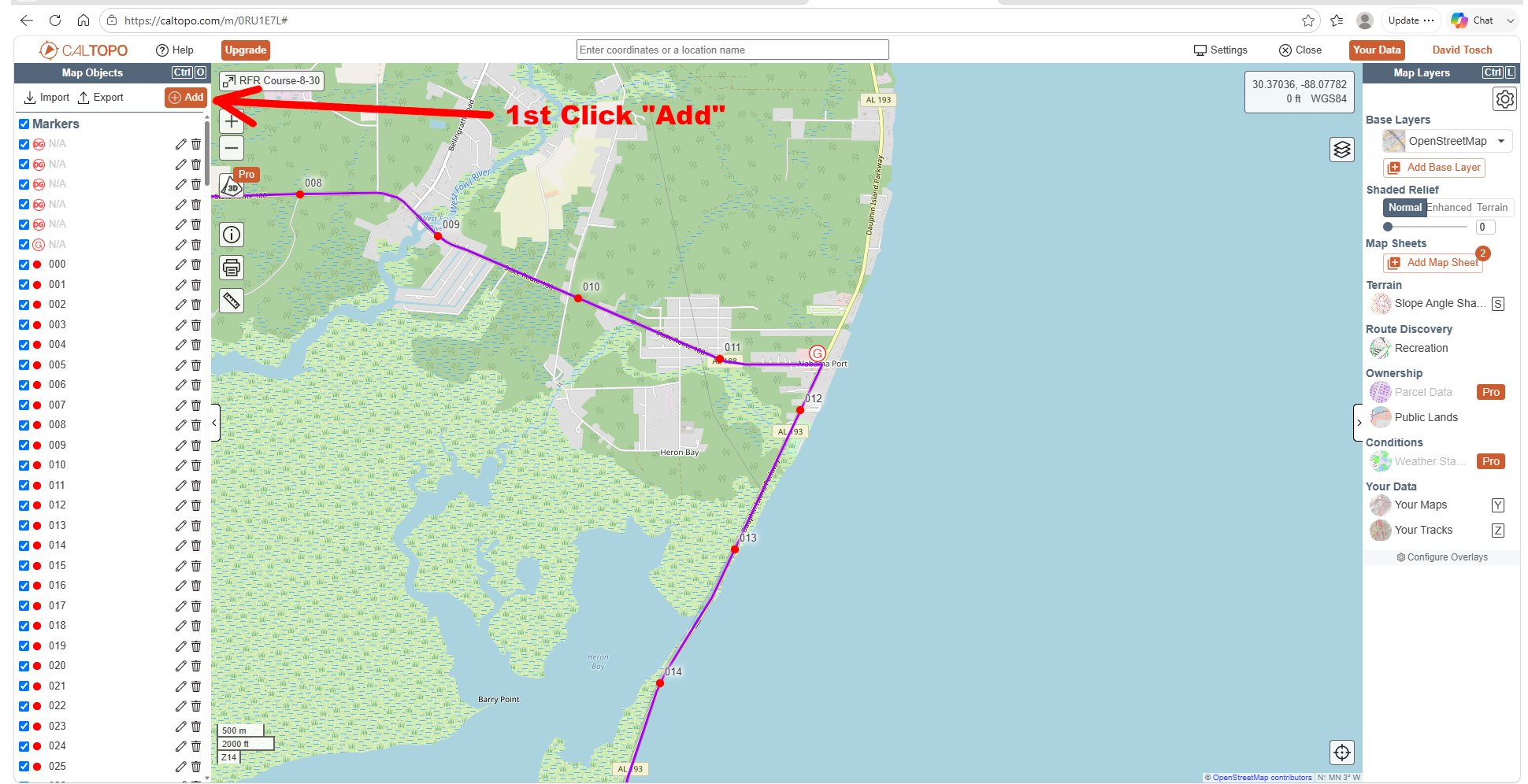
< Click on this arrow to open and close the left panel and the right panel >
1) Click “Add” to pull up the option to add a mark.
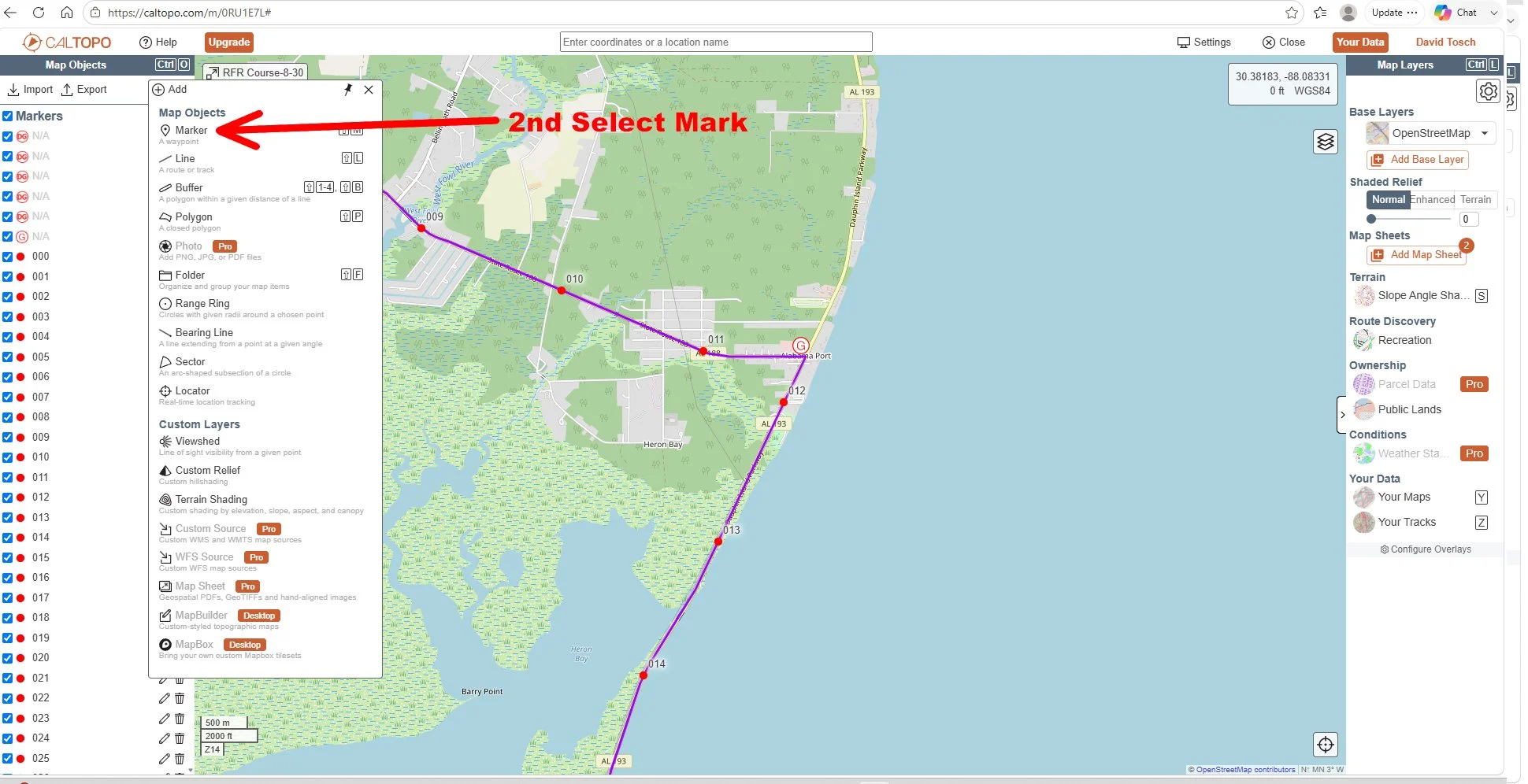
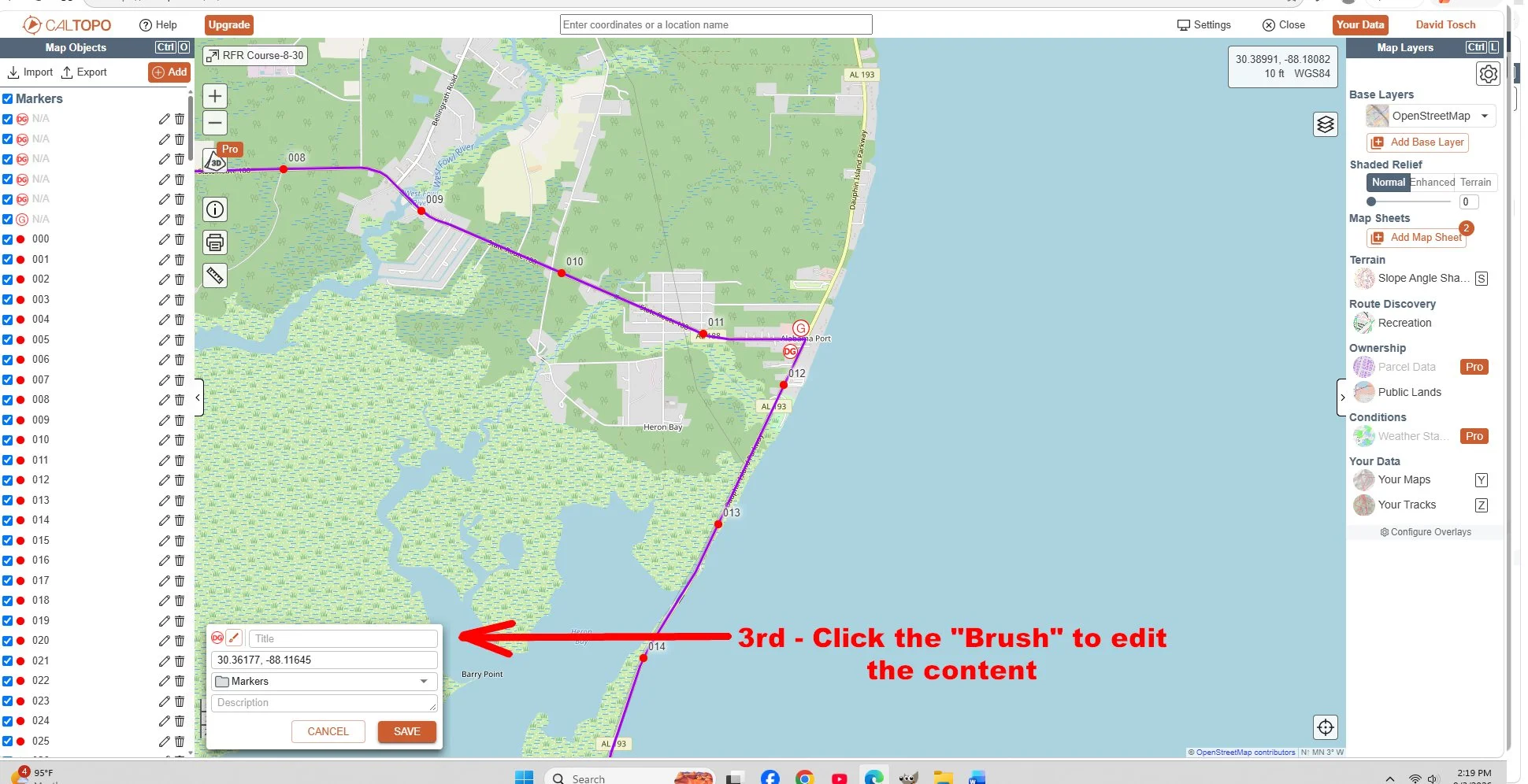
Use the “Title” block to add any info you wish to add to the marker. This is where I would enter “24 Hr” to note the store is open 24/7.
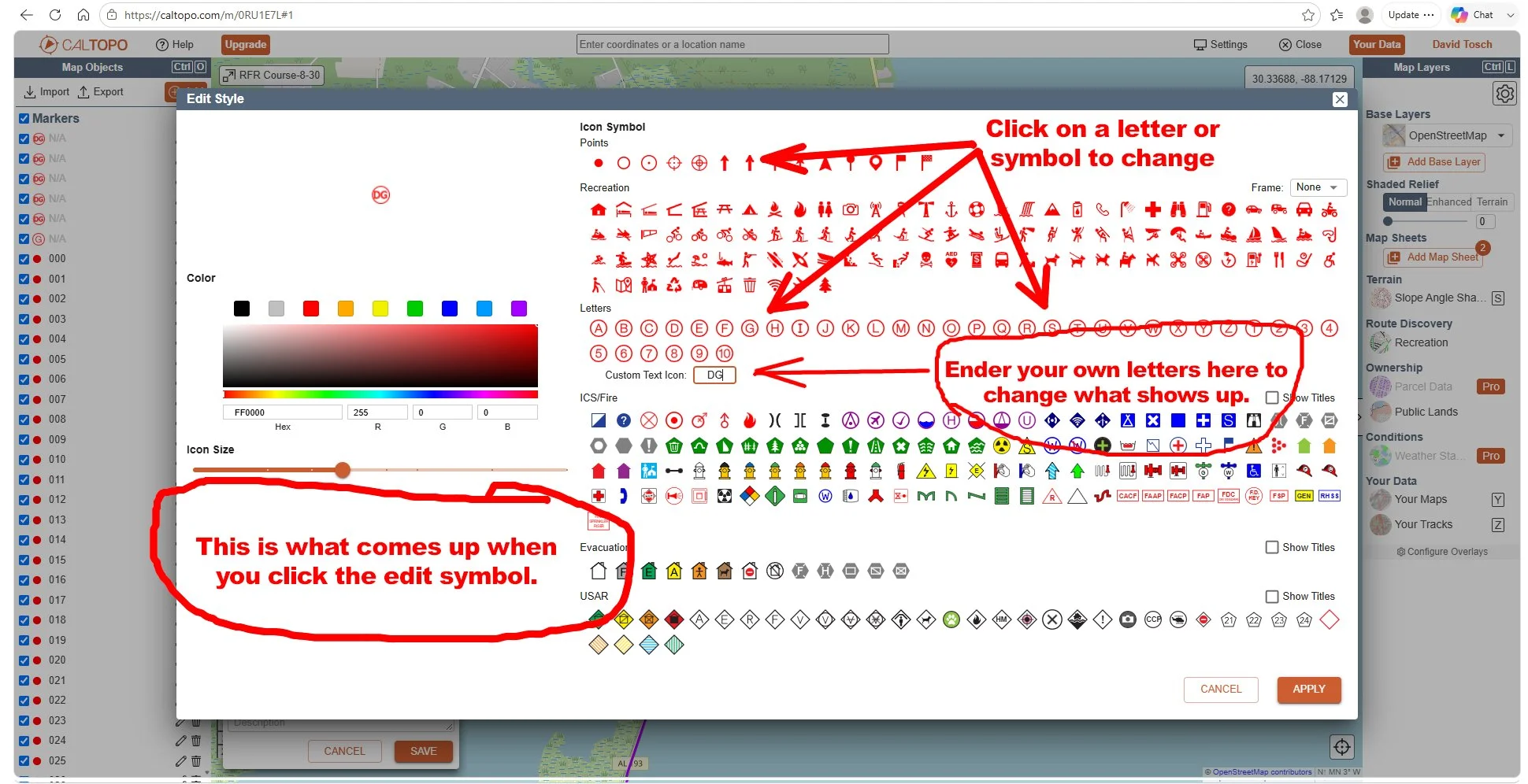
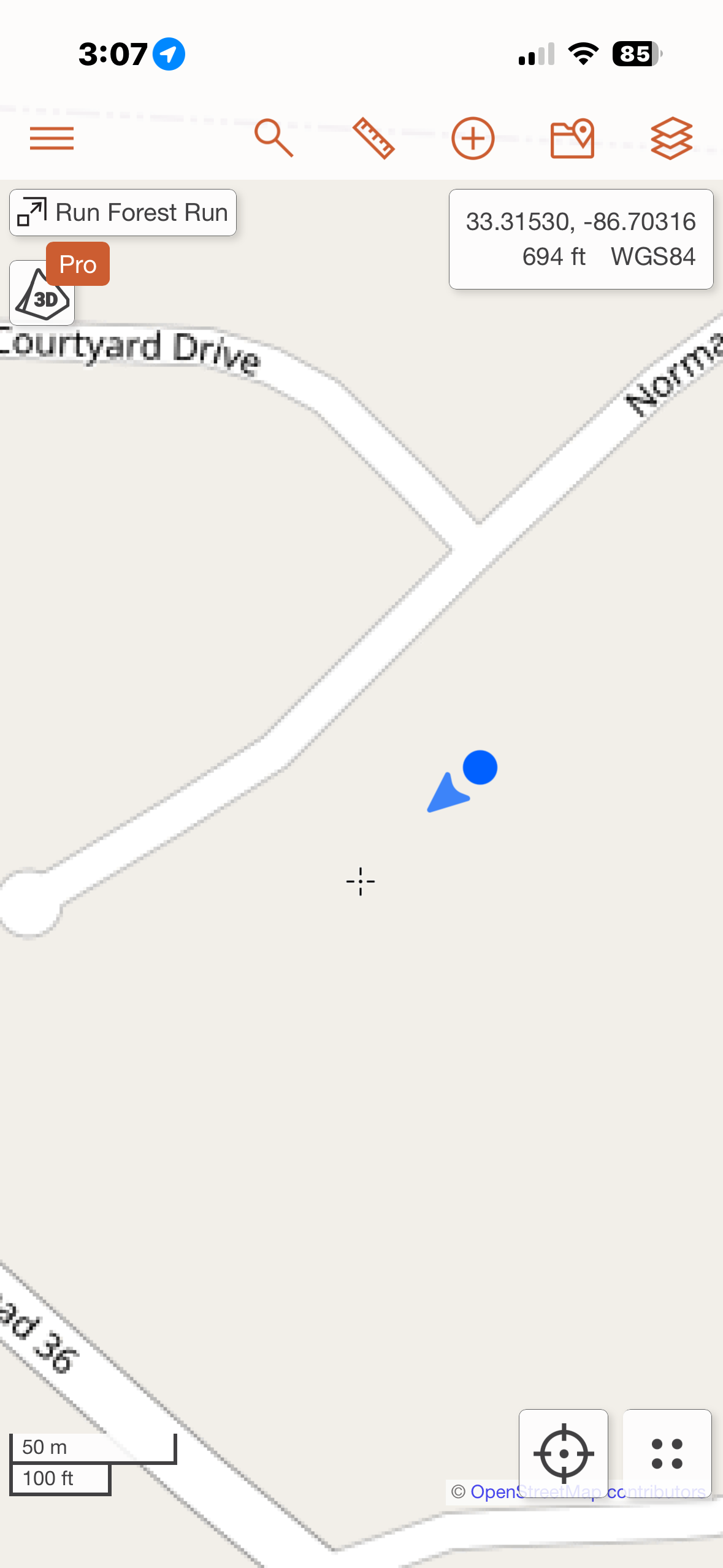
Image 1
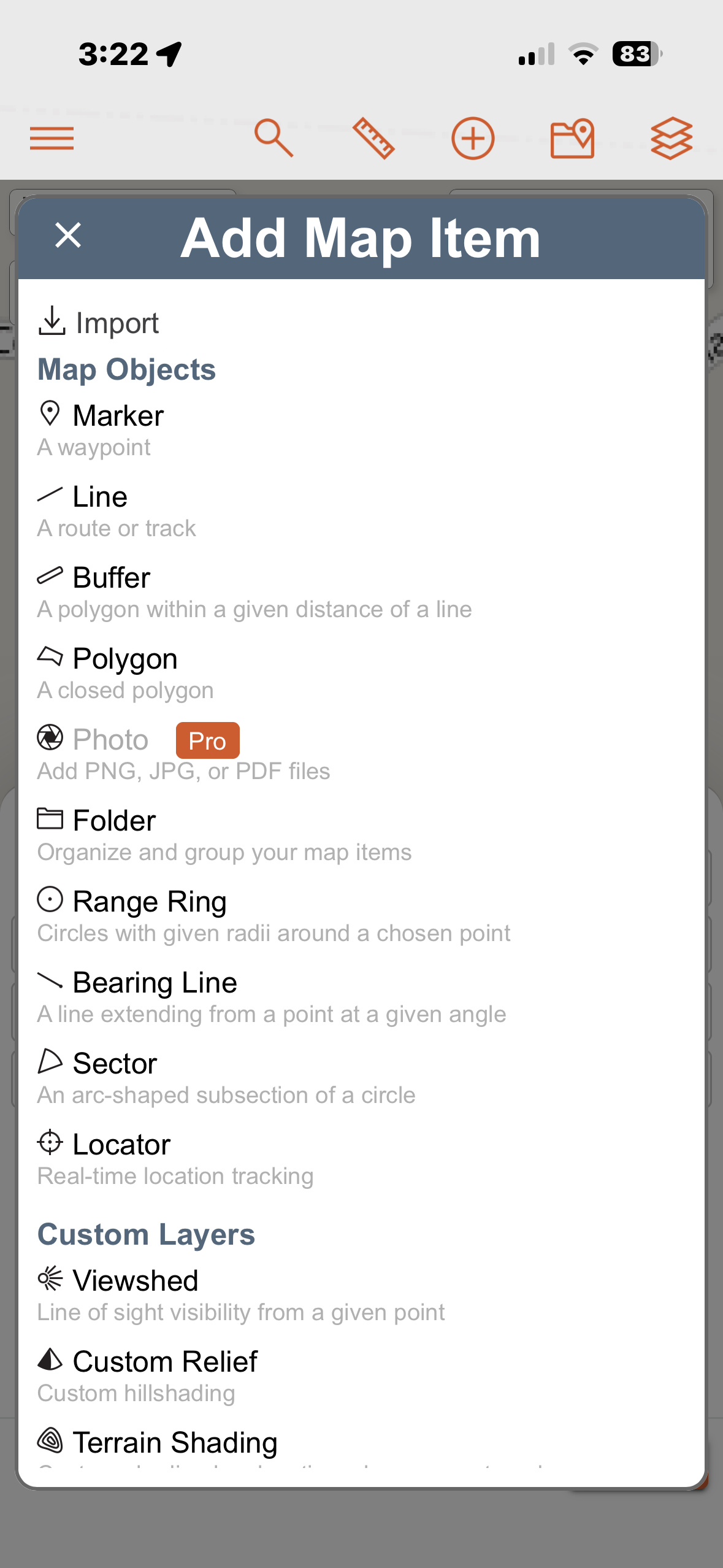
Image 2
I use CalTopo anytime I will need to navigate. Sometimes in my car when there is not cell reception. I just took a screenshot of my phone (Image 1) using CalTopo. The blue arrow points the direction my phone is pointed. Of course, cell reception is not needed. These are instructions for an iPhone.
To use CalTopo on your phone, first download the app. It’s free.
Download the course GPX file from the website.
Email the file to yourself and open the email on your phone. You should be offered the option to send it directly to Caltopo.
If not - Save the GPX file on your phone.
Click on the “+” at the top which brings up “Image 2.”
Select “Import” and then find the RFR file on your phone and open it. It will automatically open in Caltopo.